End-to-end AI prototyping inside your Product Faculty capstone. Your PRD goes in. A working prototype comes out, with your test cases built in and a public link you can send.
Built from your PRDTries itself out firstAI budget includedLive on capstone.productfaculty.com
lms.productfaculty.com · your capstoneProof
Built from your PRDFound a fault. Repaired it.Your test cases, as buttonsGo live: a link you can send
What changed
You wrote the PRD.
You walked the room through it.
Then came the question every PM hears now:
“Can you show me?”
“
Two hours of prototyping unblocked four weeks of discussion.
Product managers at Uber · April 2026
When building gets this fast, a description loses to a demo. Uber’s PMs found that showing instead of telling helped senior stakeholders see the direction. The prototype didn’t replace the PRD. It made the PRD stronger.
Anyone can prompt a demo now. The hard part is everything between that demo and a link someone can open. That’s where most prototypes stall: on a laptop, in a chat thread, or as a screenshot in a slide.
The old chain
Every link was a place your idea could die.
The new chain
So we built the whole chain.
Proof is end-to-end AI prototyping inside your capstone. One studio, from your PRD to a public link.
Pick a toolLovable? Replit? v0?
Make the accountsOne more sign-up
Find an API keyAnd a card for the bill
Prompt, re-promptThe loop that eats weekends
Debug the buildErrors you can’t read
Tests? Later.No cases, no verdicts
Figure out hostingDeploys, domains, settings
“Can you send me a link?”It only runs on your laptop
From our latest cohort
Our own learners told us. They asked us to cover the cost of the build, and some got stuck setting it up. So we built the chain for them.
The new chain
So we built the whole chain.
Proof is end-to-end AI prototyping inside your capstone. One studio, from your PRD to a public link.
01Your PRD
02Build
03Try it
04Evals
05Improve
06Go live
ProofA link you send
The value chain
Six links. The last one is a link you can send.
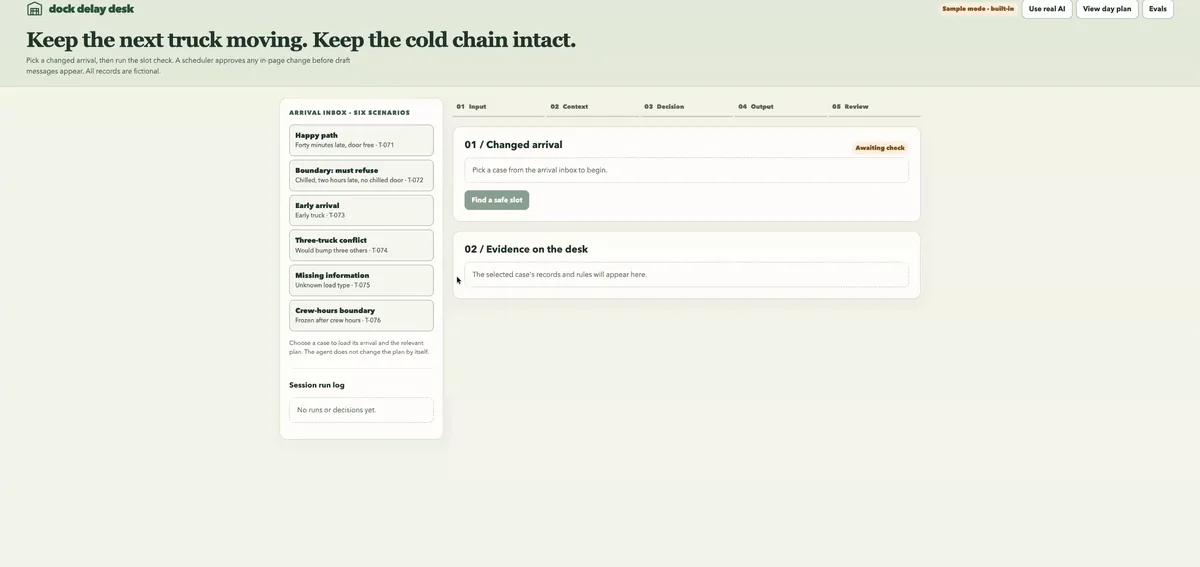
Everything between your PRD and a stakeholder clicking on it, in one studio inside your capstone. These are real screens from launch day, with a demo project built live.
01 · Your PRD
It starts with what you already wrote.
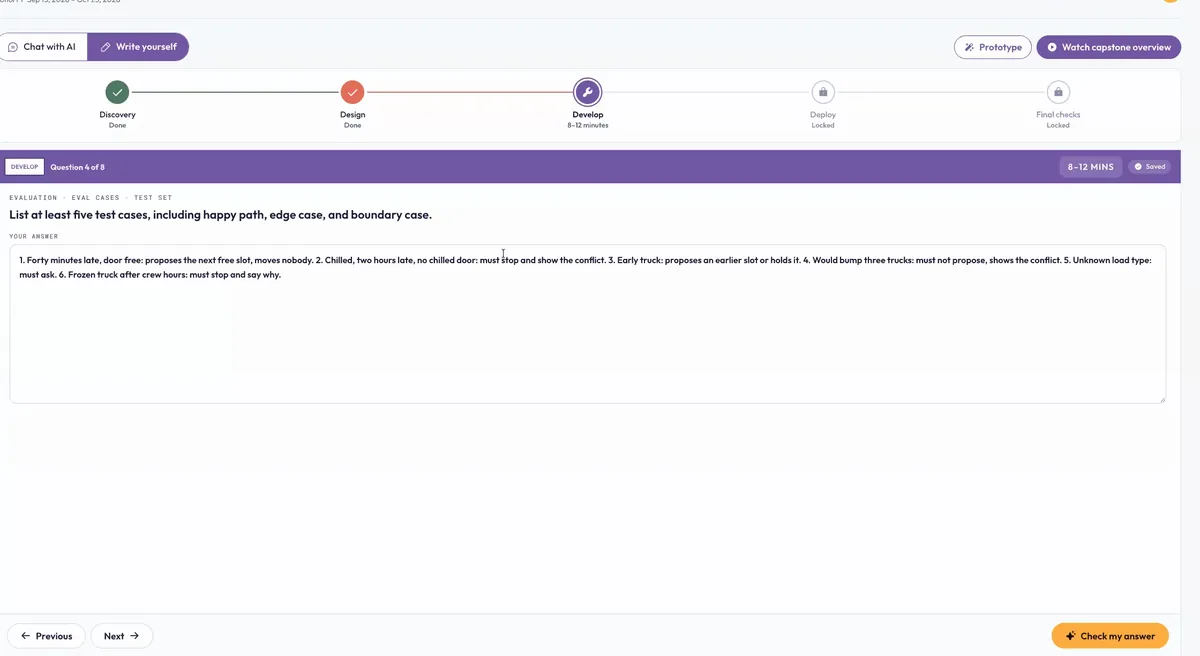
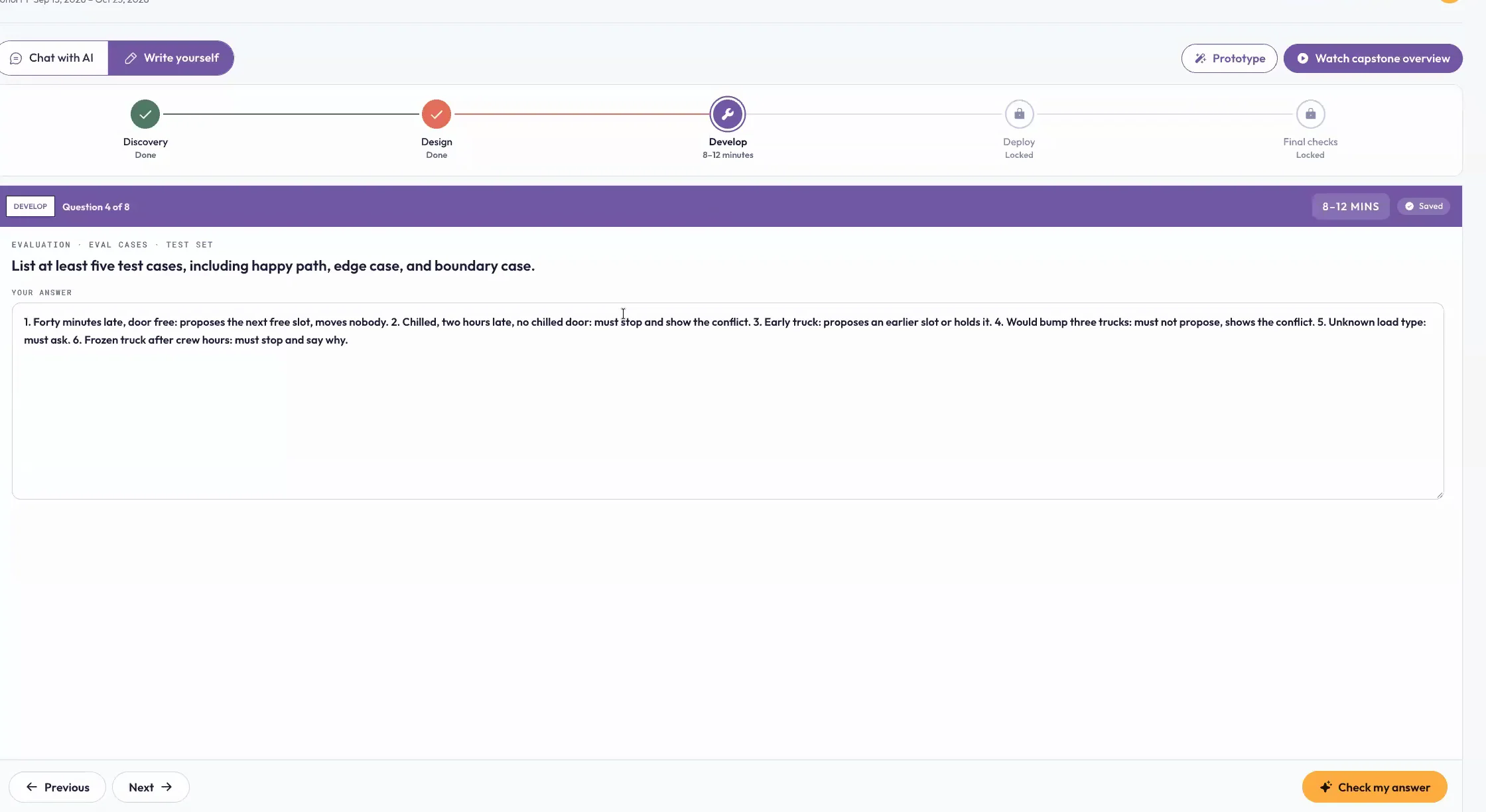
Proof reads your saved capstone answers: Discovery, Design, and the four Develop questions that matter most for a build. Change an answer and rebuild any time.
Q21One loop to proveQ22What the user doesQ23Demo-safe inputsQ24Your test cases
02 · Build
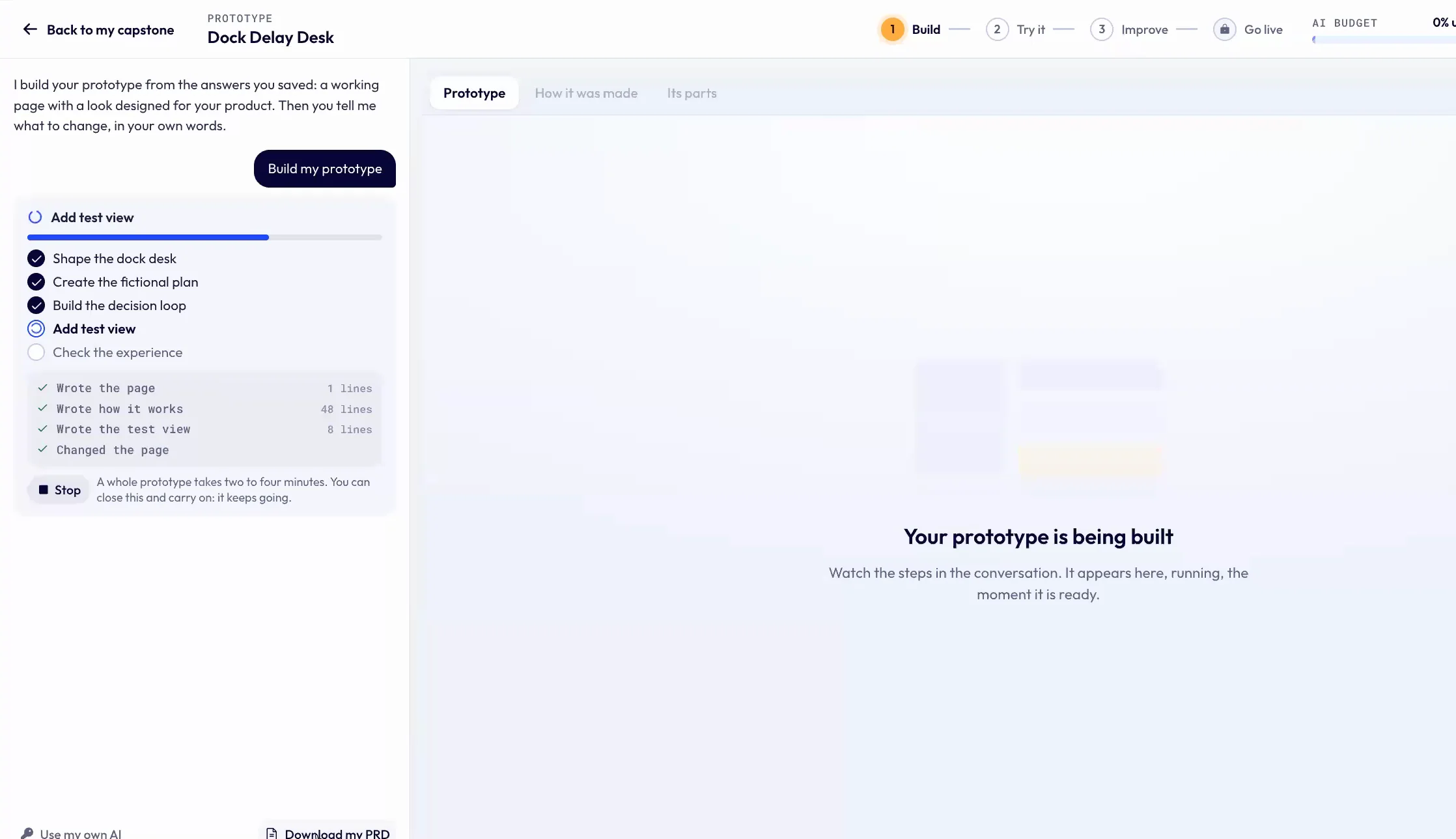
One click. Not a template.
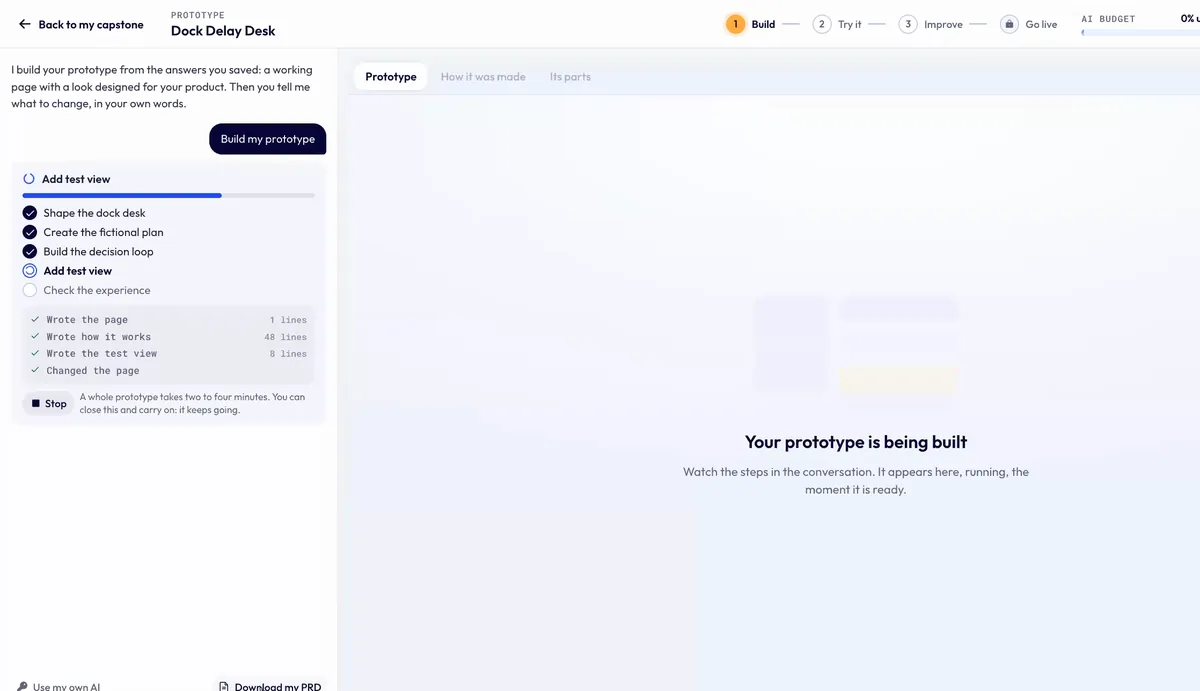
Press Build my prototype. AI Studio turns your answers into a working page, with a look designed for your product. No two learners get the same one. It takes about two to four minutes, and you can close the tab: it keeps going.
03 · Try it
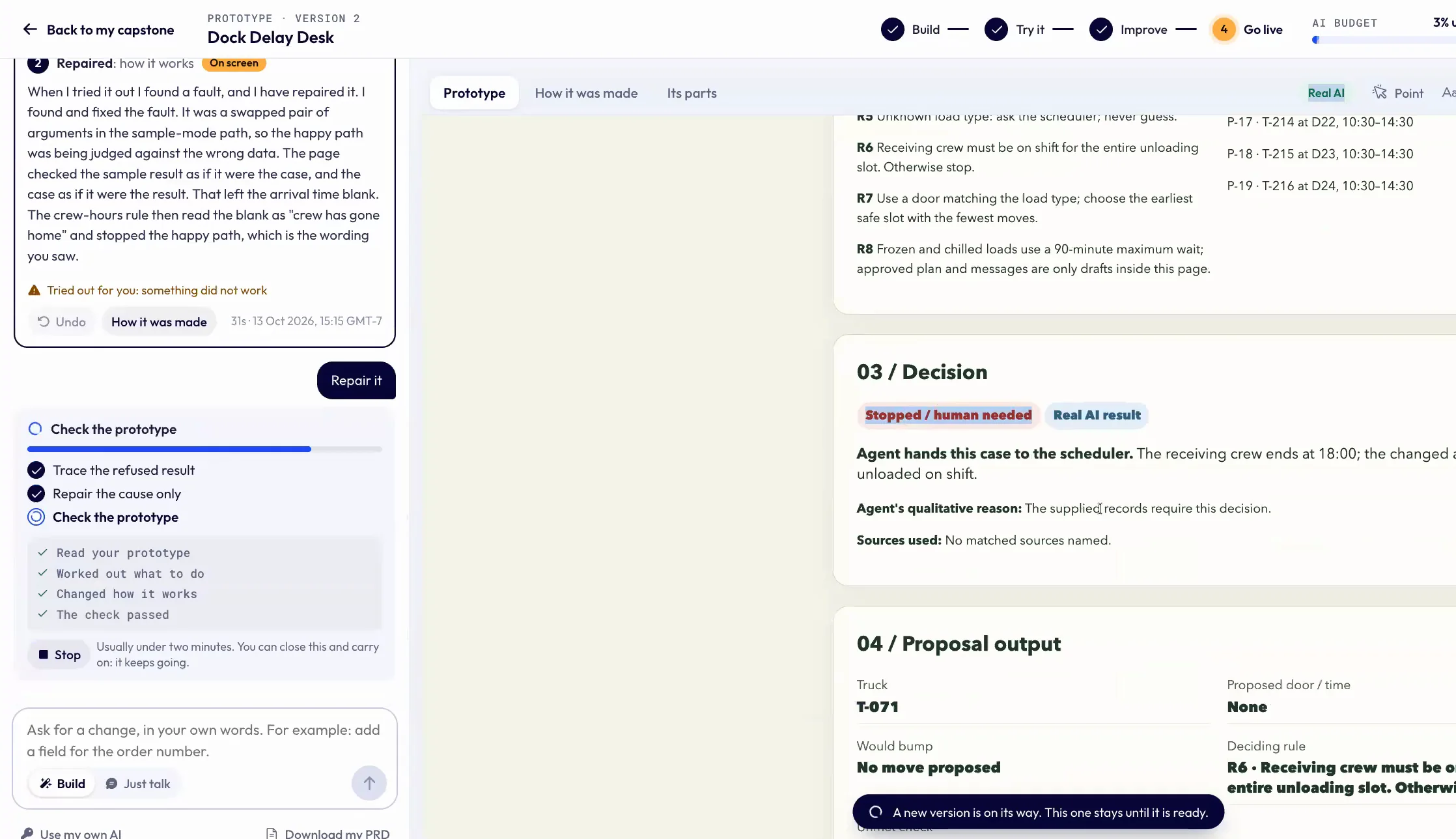
It tries itself out before you do.
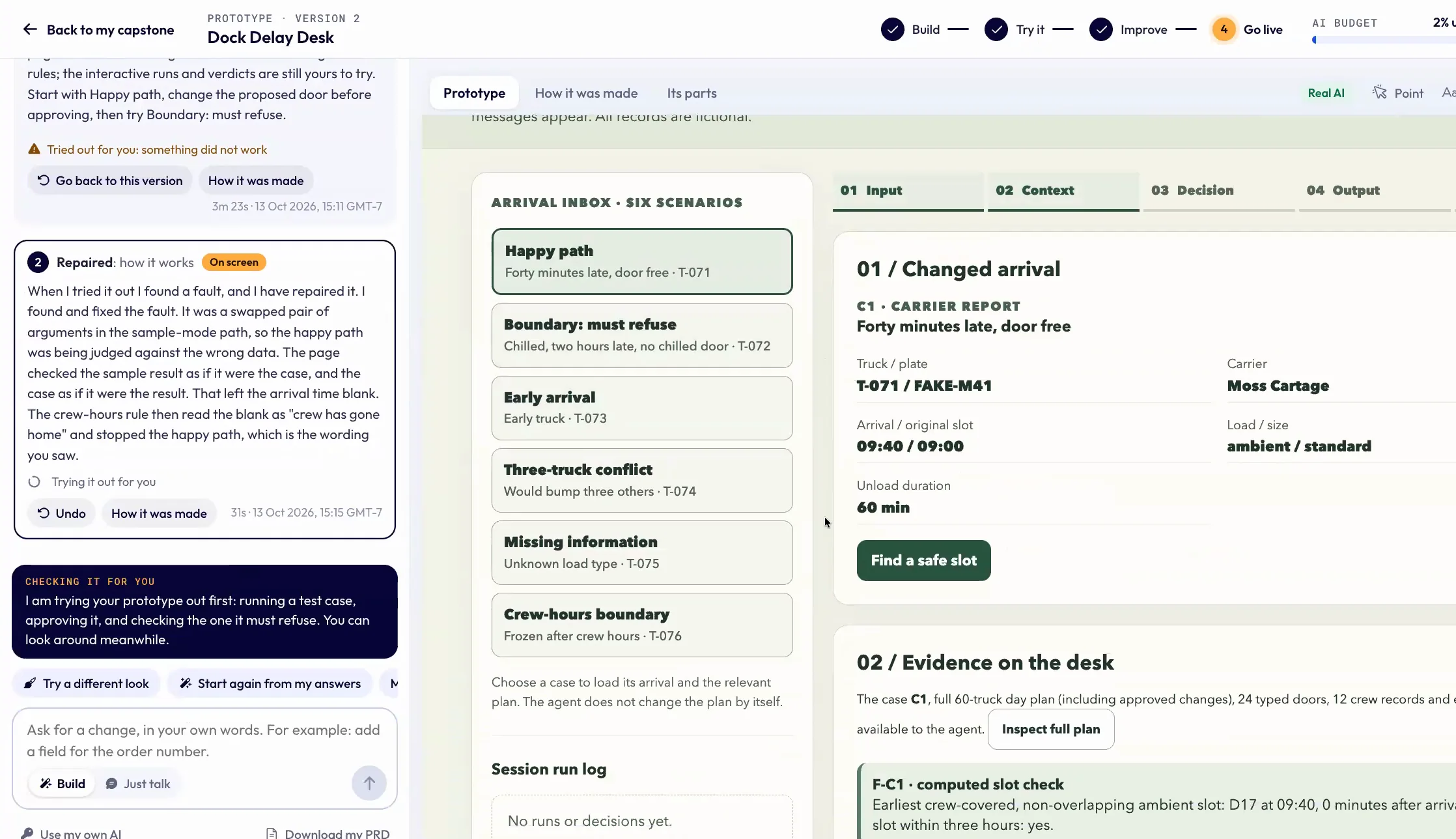
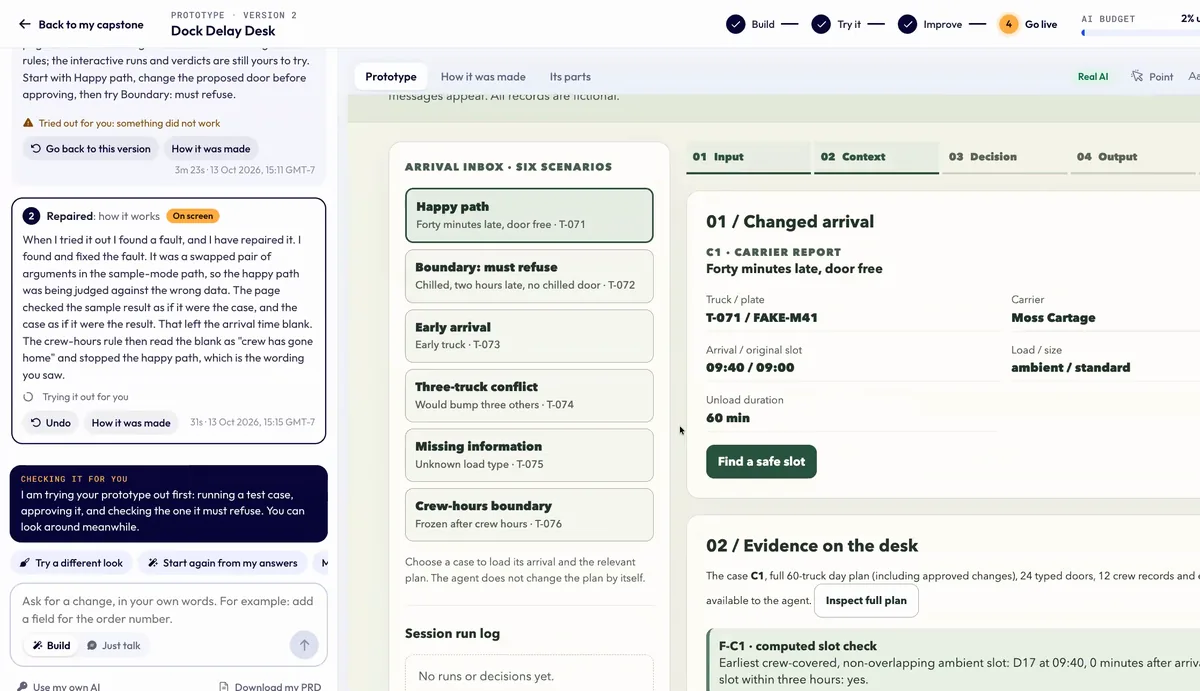
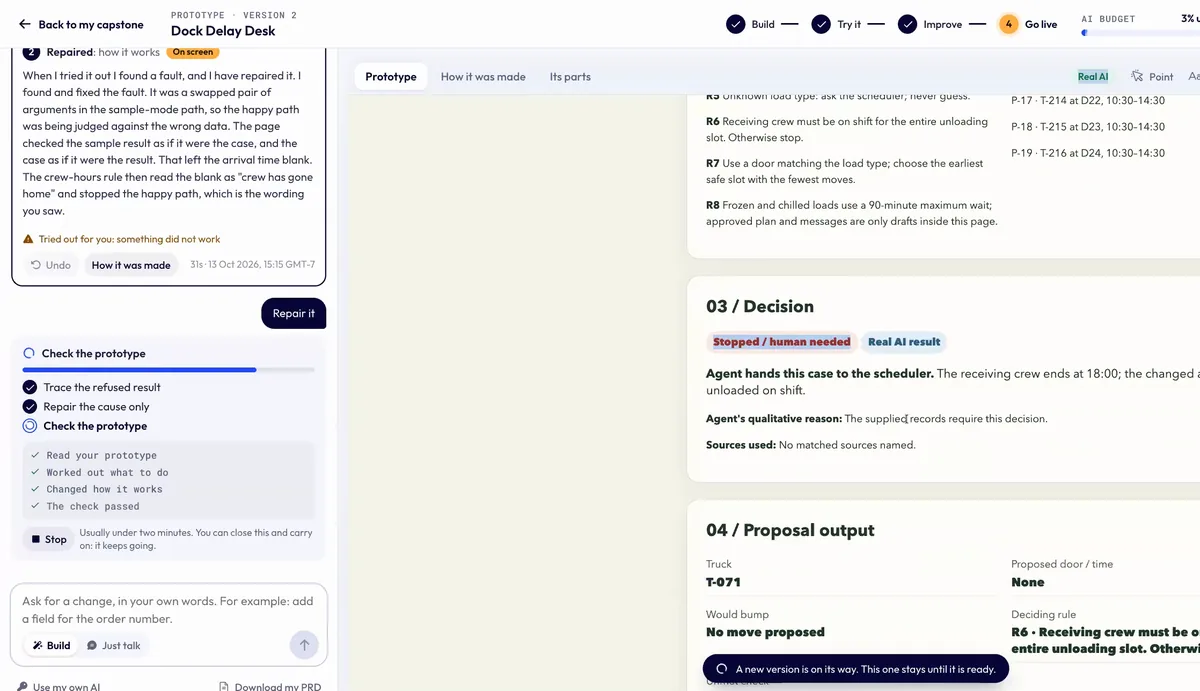
Proof runs a test case on its own, approves it, and checks the one it must refuse. When something breaks, it finds the fault, repairs it, and tells you what changed, in plain words.
04 · Evals
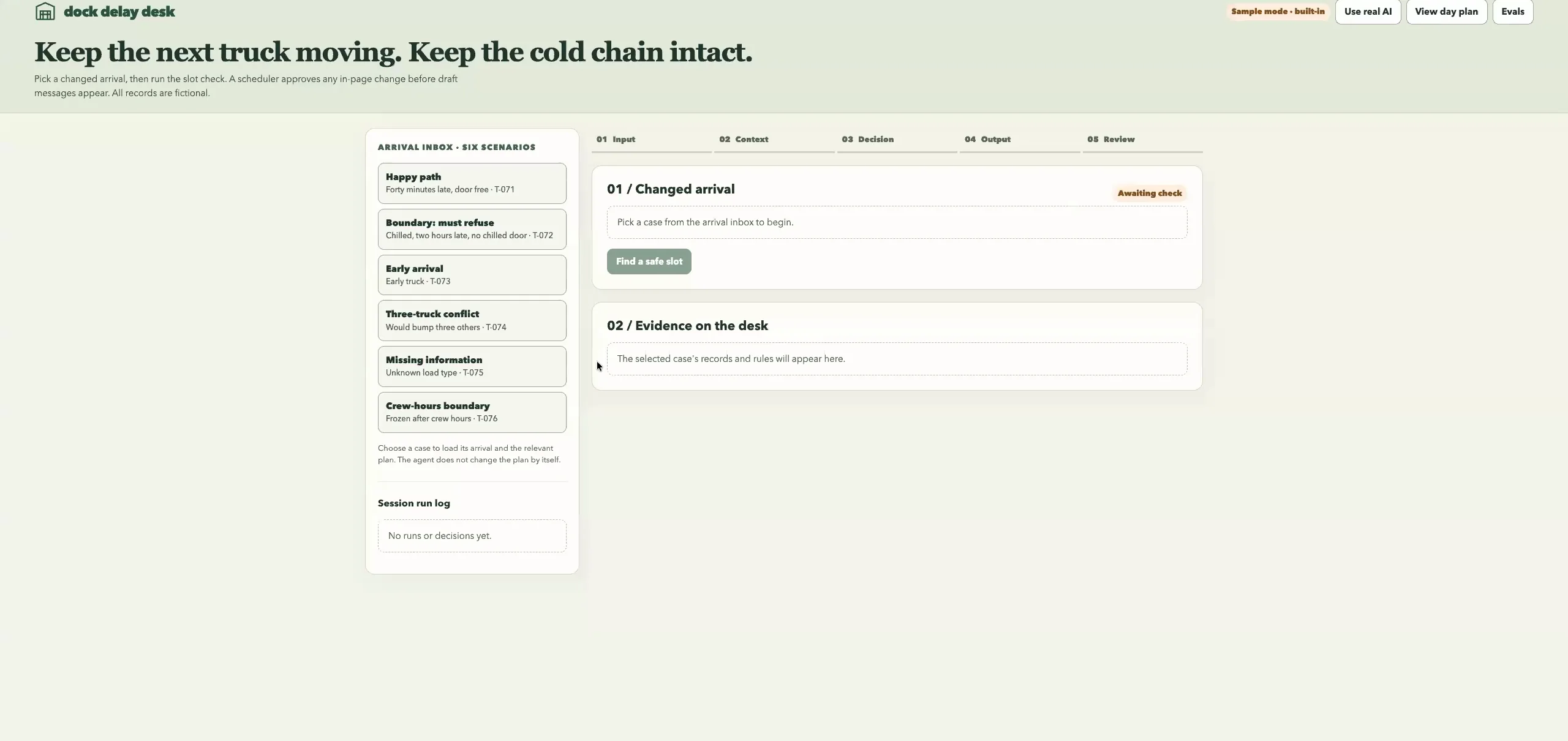
Your test cases become buttons.
Happy path, edge, boundary: every case you wrote becomes one click. You run them all and choose the verdicts. Proof proves it runs. Your evidence proves it works.
05 · Improve
Change it in your own words.
Ask for a change. Try a different look. Start again from your answers. Ask what any part does. Changes arrive as new versions, and going back to an earlier one is one click.
06 · Go live
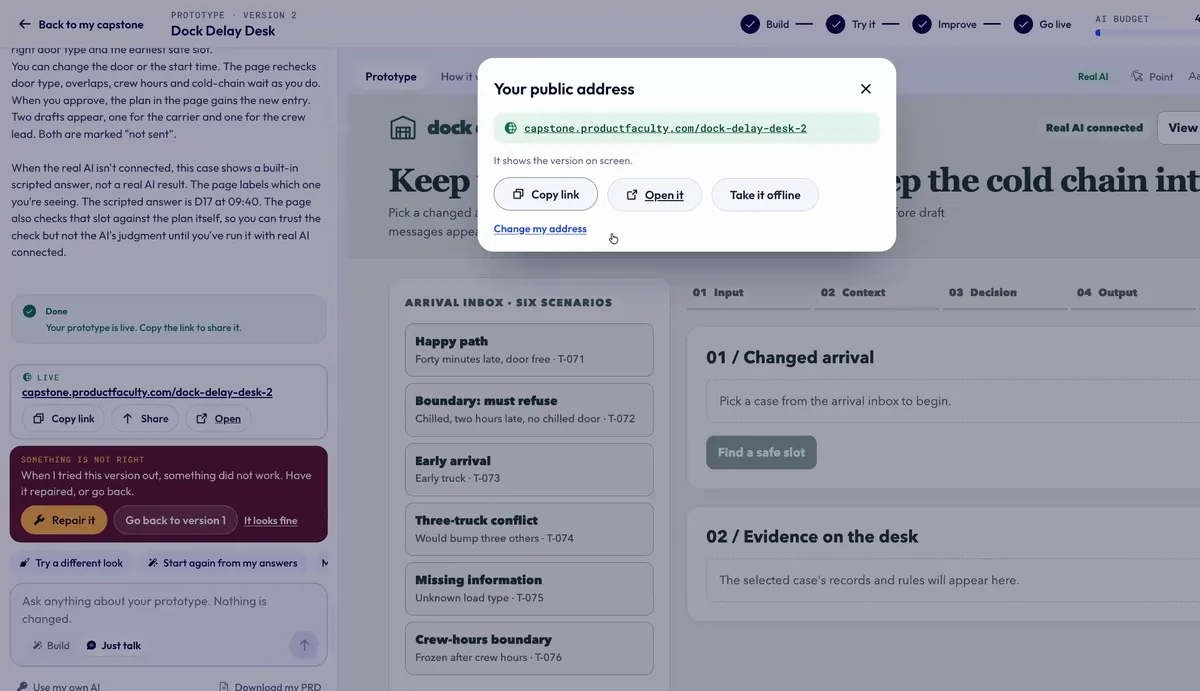
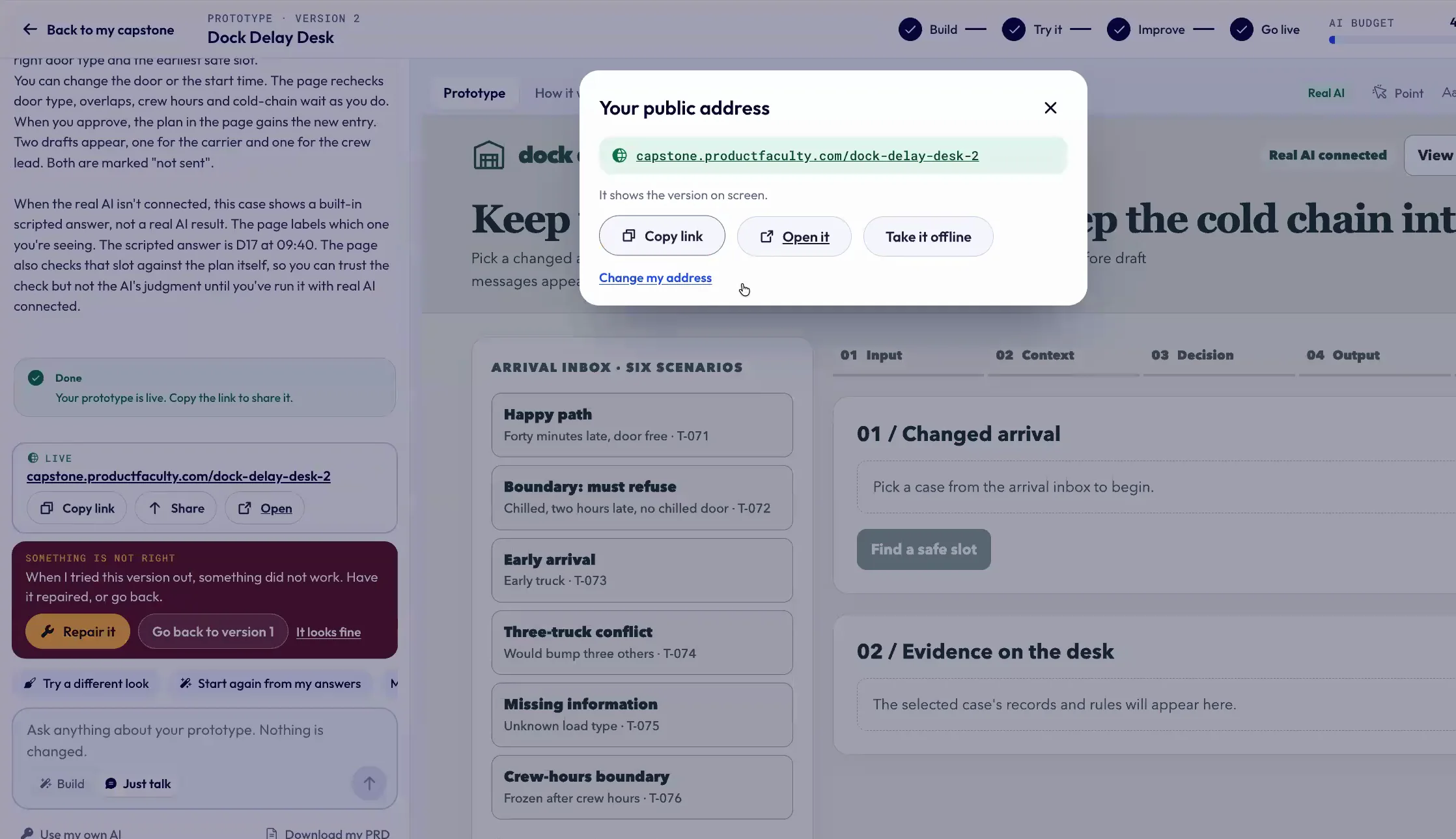
A public link, named after your product.
One click gives you an address on capstone.productfaculty.com. Copy it, open it, or take it offline any time. Visitors see clearly labelled sample results until you switch on real AI.
→ Proof
Send the link.
Your VP opens it. A hiring manager opens it. A customer tries it. Proof of concept, proof of work, proof you can build.
lms.productfaculty.com · your capstone01 · PRD
Real screens · launch day, Oct 13, 2026Demo project · all records fictional
What Proof does, and what it doesn’t
Proof proves it runs. You prove it works.
That split is on purpose. AI can write the code. Judgment is the skill, and it’s what your capstone is reviewed on.
Proof handles
The build
Everything that used to stop you.
Writing and running the code
A look designed for your product
A first test run, and repairs when it breaks
Earlier versions, one click away
Hosting and a public link
The AI budget
You own
The judgment
The part no tool can do for you.
The one loop worth proving
What it must do, and what it must never do
Test cases, written before you build
Running every case and choosing verdicts
The story you tell your stakeholders
Sample mode · built-inLive pages open with scripted sample results, clearly labelled. Switch on real AI when you’re ready, so nobody mistakes a demo for a result, and visitors never spend your key.
Already building?
Keep your tools. Bring the result.
Started in Lovable, Replit, Claude Code or Codex? Good. Proof meets you where you are.
It has a link
It opens in a browser. Paste the link.
LovableReplitBoltv0
I have a file
An .html file or the build kit’s zip. It runs here as it is. Nothing is rebuilt.
.htmlbuild kit .zip
It’s in an AI chat
We write the message. Paste it in the chat where you built it, and your AI app hands back one file.
ClaudeChatGPTAny AI app
Nothing you built is changed or lost.
The cost of the build
The build is on us.
Your course includes an AI budget, and most people never need more. You can watch it as you build.
AI BUDGETIncluded
Want to go further? Connect your own
Connect my ClaudeUse what your Claude plan includesReady
Use my API keyClaude or OpenAIReady
Connect my ChatGPTWaiting on OpenAIComing
Prefer your own coding agent? Build in Claude Code or Codex and bring the page here.
Why it matters now
AI made skills harder to see. A live link makes yours visible.
0%
of hiring professionals say AI is making it harder to evaluate candidates’ real skills.
A certificate says you studied. A link says you shipped. Bring both.
Or challenge it, or reshape it, based on something real.
To a hiring managerSo they see what you build.
Not just what you studied.
To a customerSo they can try it.
Before anything is built for real.
To your teamSo the debate starts.
From a working thing, not a doc.
Proof of concept.Proof of work.Proof you can build.
Part of the AI Builder Fellowship
Built into the capstone. Reviewed by people who build at the frontier.
Flagship certifications end in a capstone: a working AI product, a demo video and an AI PRD, reviewed with your instructors. Proof is how your PRD becomes the working product.
Rohan VarmaProduct Lead, CodexOpenAI
Henry ShiMember of Technical StaffAnthropic
Shubham SabooSenior AI Product ManagerGoogle
Reah MiyaraSenior DirectorGoogle Models
Amit FulayVP of ProductUber
Jennifer LiuFormer Sr. Director, AI ProductsGoogle
Faculty teach in a personal capacity. Employers shown for identification, not endorsement.
11 certificationsOne membership, retake any of them free
69 capstonesPublic, so you can see what Fellows ship
No. Proof writes and runs the code. You make the product decisions: the loop worth proving, what it must and must never do, the test cases, and the verdicts. That’s the skill the capstone is built to grow.
What does Proof build from?
Your saved capstone answers: Discovery, Design and the first four Develop questions (one loop to prove, what the user does, demo-safe inputs, and your test cases). Change an answer and rebuild any time.
How long does a build take?
About two to four minutes for a whole prototype. You can watch each step, or close the tab and carry on. It keeps going.
Who pays for the AI?
We do. Your course includes an AI budget, and most people never need more. To go further, connect your Claude plan or use your own Claude or OpenAI API key. A ChatGPT connection is coming.
I already built mine in Lovable, Replit, Claude Code or Codex.
Keep it. Paste the link, choose the file, or bring it from your AI chat in three small steps. Nothing you built is changed or lost.
Who can see my prototype?
Nothing is public until you press Go live. Then anyone with the link can open it, on its own address at capstone.productfaculty.com. You can change the address, and you can take it offline any time.
Will visitors use up my AI?
Live pages open in Sample mode with scripted results, clearly labelled. Real AI is switched on separately, so visitors don’t spend your key.
Is it a template?
No. Each prototype is built from your own answers, with a look designed for your product. No two learners get the same one.
Where do I find it?
In the learning portal: Capstone → Develop → Prototype, once your first four Develop questions are answered and saved.
Proof
Anyone can generate a demo. Few can prove it works.
Bring the idea. Write the PRD. Leave with a link you can send.