AI Design With Multiple Agents: How pen.dev Turns the Canvas Into Your Workspace
Tom Krcha helped build Adobe XD. Now he's building pen.dev, an AI canvas where six agents design six screens at once while you watch. He shows how to design from scratch, redesign a live product, push changes back to code, and use the canvas for research and hiring too.
What is pen.dev?
pen.dev is an AI design canvas where multiple AI agents design, edit and research in parallel on an infinite, fully editable vector canvas. You can watch every agent work in real time, steer it as it goes, and turn the result into a design system, a slide deck or working React code.
It's built by Tom Krcha, who was in the founding team of Adobe XD, led product at Around before Miro acquired it, and co-founded Alter before Google acquired it. It works with the AI subscriptions you already have: it can use your ChatGPT or Claude Code sign-in, a Cursor or Gemini key, OpenRouter, or a custom or local model.
"Why just one agent? Why not six or 10 or 20 working together in this orchestra?"
Tom Krcha
The episode in numbers
From Flash and Adobe XD to an AI canvas
Tom grew up around his parents' design studio, discovered HTML and PHP in the late '90s, and sold his first online shop at 15. Then he found Flash: something that moved, had sound and could play video at a time when HTML couldn't. That led to a job at Adobe as a Flash evangelist, then to games and the Creative Cloud, and finally to the small team that started Adobe XD.
He didn't expect to return to design tools. But early on, playing with coding agents, he realized you could draw something and tell the AI "build this." Then the reverse clicked: "If you can steer the model with this visual data, you can also use the model to actually generate the visual data for you." His demo got around a million views, and pen.dev began. Early this year the team went further: why one agent, when you could have six or more working together?
Six agents designing six screens at once
Tom's first demo was a playful matcha cake ordering app. He chose six agents, told them to split the work, one screen each, and picked a model. Six named cursors appeared and started drawing six screens in parallel: welcome, home, cake details, build your cake, cart and order tracking.
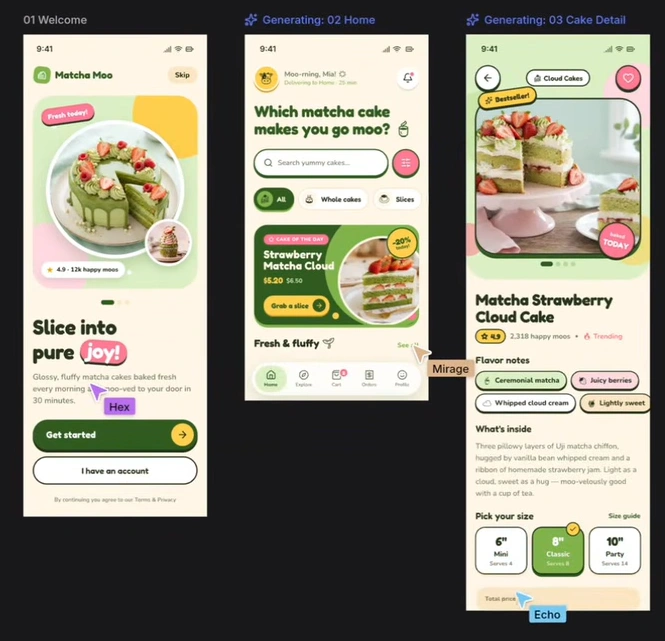
Then Moe asked for something different, and Tom had six more agents create a second version of the whole app in the style of the old New York Times, on yellowed paper with serif fonts, while he kept talking. How many agents you use depends on the job. For quick refinements, "almost like playing a piano," Tom uses one fast agent. For bigger work like research, he runs several.
Chat-first vs canvas-first
Moe described the problem in his own work: "I'm building a deck right now. It's been going for 50 minutes. I've no idea what's happening." When it arrives, it may be nowhere near what he wanted, and if he'd seen it 10 minutes earlier he'd have made edits. On a canvas, you see everything as it's made.
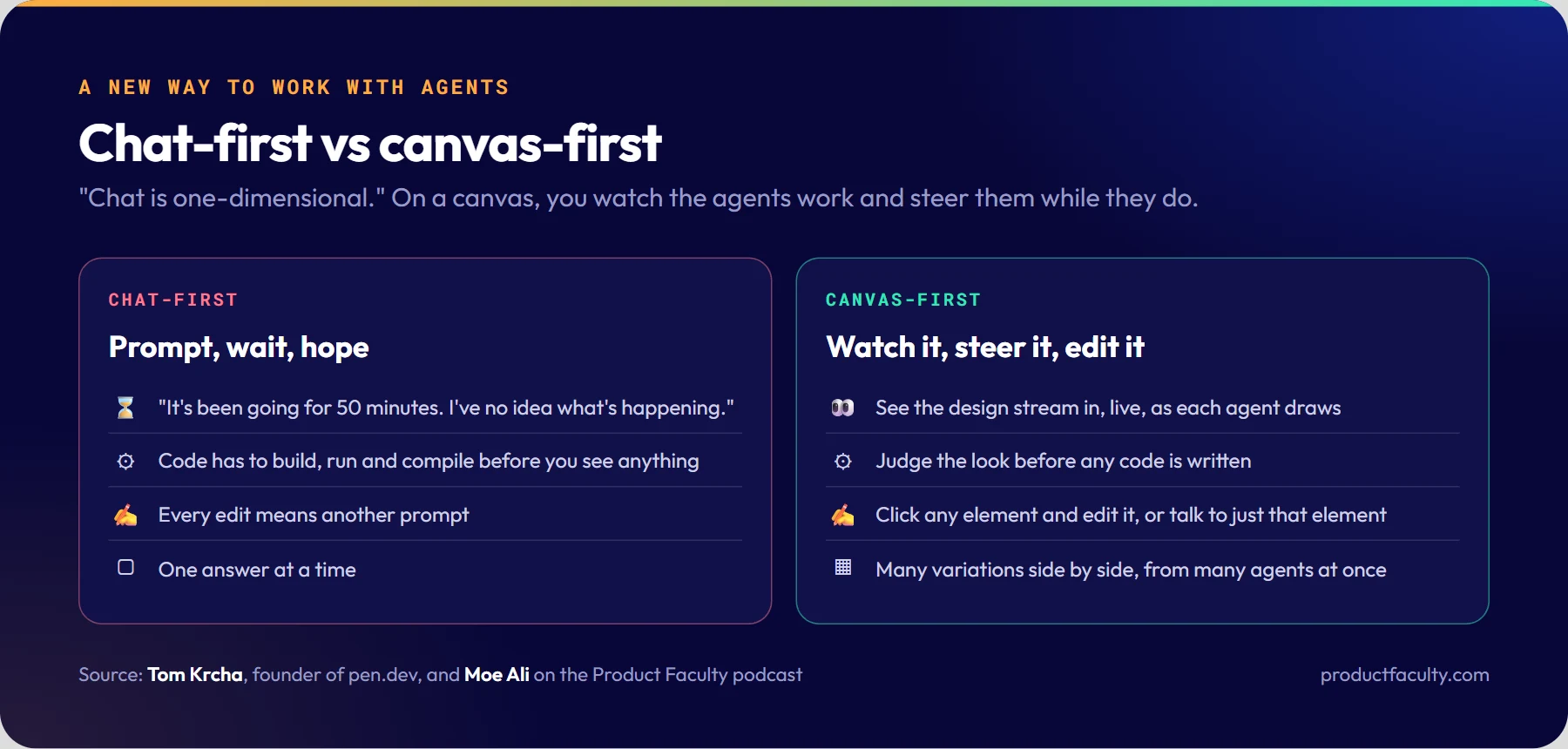
| Feature | Chat-first | Canvas-first |
|---|---|---|
| What you see | The result, when it's done | Every agent drawing, in real time |
| Small edits | Write another prompt and wait | Click the element and change it, or talk to just that element |
| Options | One answer at a time | Many variations side by side |
| Agents | Usually one conversation | Several agents working in parallel |
| Before code | Often build first, then judge | Judge the design, then build |
Last-mile polish is often faster by hand. Moe had just spent seven minutes prompting an agent to delete a slide; on the canvas, you click and delete it.
Decks, design systems and social posts
- A pitch deck. Tom asked an agent for an investor deck with the usual structure, such as market size and team. It ran web research and built the slides on the canvas, with a presentation mode and PDF export.
- A design system. One prompt created components and a design system for the app. Components update every copy when you change the original, and variables store reusable values like colours. Moe remembers design systems as multi-year projects for several PMs; here it took minutes.
- Ready-made starting points. A built-in "goodies" library has styles you can apply in one click (like design.md files), design systems, small scripts that run on the canvas, and animated shaders for more visual marketing.
- Figma files. You can paste from Figma or import .fig files, so existing designs don't start from zero.
- Social posts. The same canvas made Instagram posts in the app's style, because "we're not building just an app, we're building businesses."
Redesign what you already have
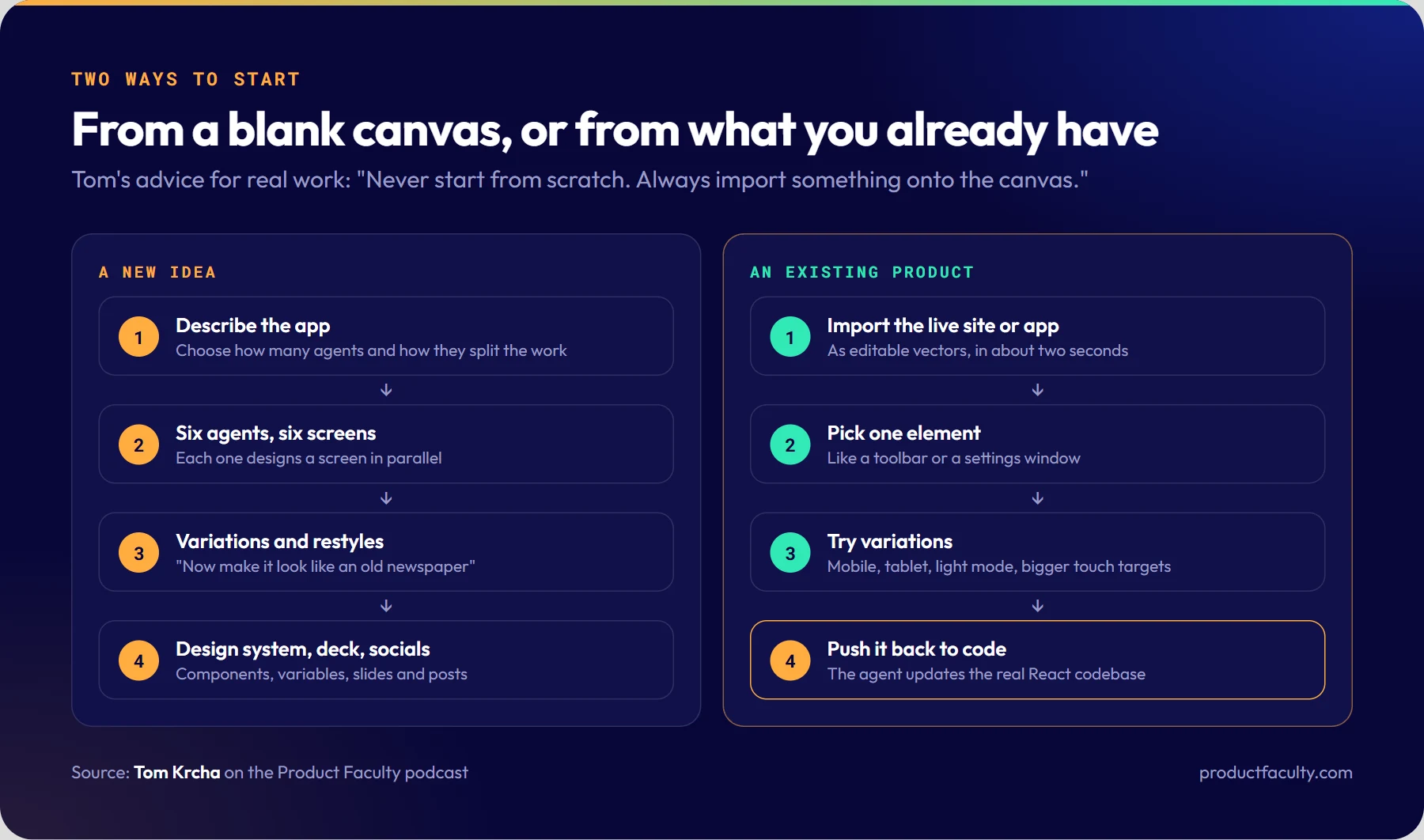
Starting from a blank canvas is one problem. Most people start from a product that already exists. Tom's rule: "Never start from scratch. Always import something onto the canvas."
Tom's setup tip: keep one folder per project and point pen.dev's workspace at it. The agent can then reach everything in that folder without asking permission for every file, and if it's your code repo, it can change the real code.
A built-in browser imports any live page onto the canvas as editable layers in about two seconds, with icons and logos as vectors. Live, Tom pulled in the Product Faculty site and, for fun, had an agent redesign it in the matcha app's style.
For real work, he runs his own app locally, imports just one element (a toolbar, a settings window) and asks for variations: a mobile layout, a tablet layout, light mode, bigger touch targets. When he's happy, the agent updates the actual React codebase, as long as the workspace points at the code repo.
Beyond design: research, hiring and audits
pen.dev's newest feature puts live browsers on the canvas, logged in as you, like a new kind of browser. That turns a design tool into a product management tool.
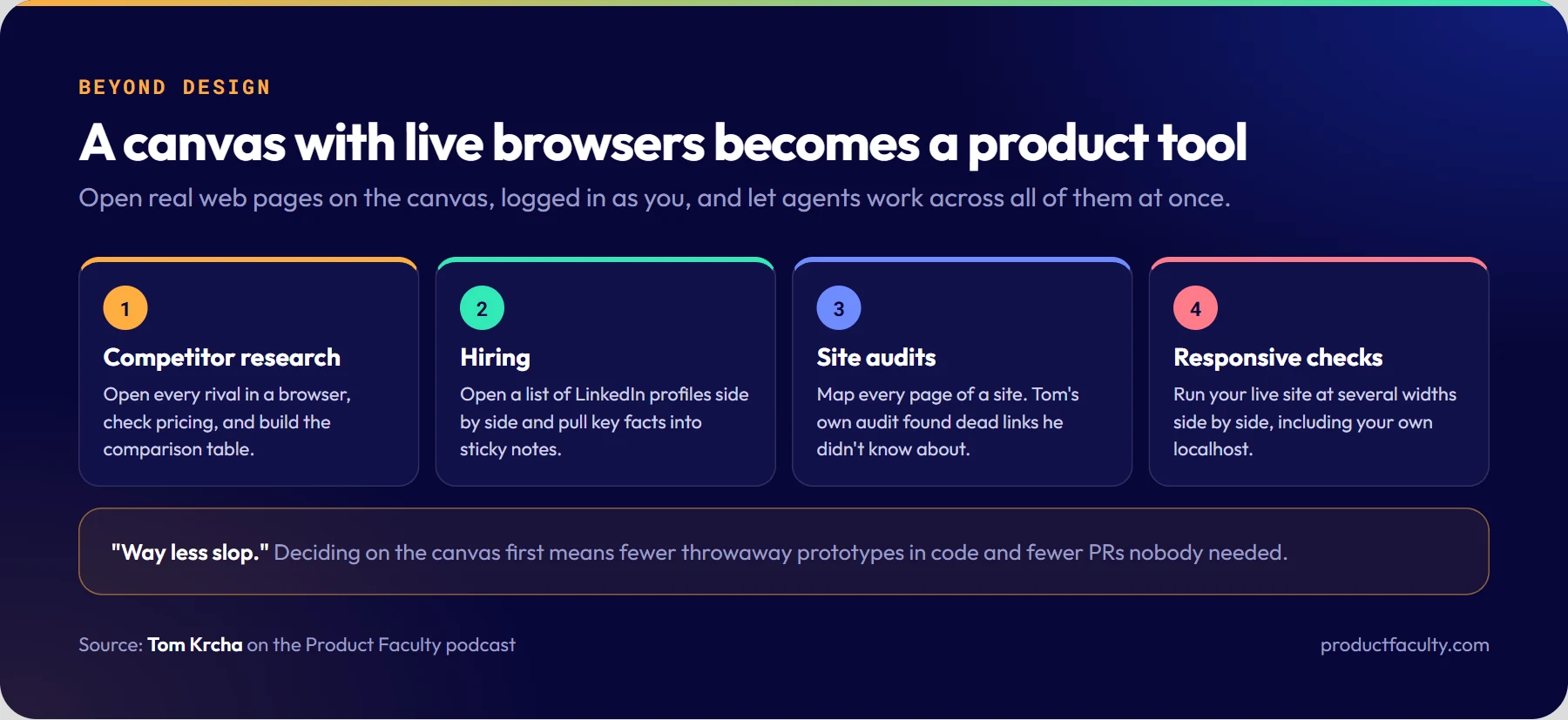
- Competitor research. Agents opened each competitor in its own browser, researched pricing and built a comparison table on the canvas, which could then become a deck.
- Hiring. Opening 10 LinkedIn profiles side by side and pulling key facts into sticky notes. Tom's team uses it with recruiters: drop in a spreadsheet of links and compare candidates.
- Site audits. A sitemap of every page on pen.dev's own website turned up dead and outdated links the team didn't know about.
- Responsive checks. The same live site at desktop and mobile widths, side by side, including your own localhost.
The team is planning a set of skills for use cases like these, such as a researcher and a recruiter.
Which models to use
Tom mostly uses top GPT and Claude Opus models, and says recent models have largely caught up on UI and UX, with only marginal differences between the best ones. What surprised him is how well Claude Haiku designs. It's not as refined, but it's roughly an order of magnitude cheaper, and plenty for users on a $20 plan rather than $200. Many people use their existing ChatGPT or Claude Code subscriptions, so there's no extra model cost.
From canvas to working app
Once a design is settled, there are two routes to code. Ask the agent to build a React TypeScript app from the screens, or export HTML (with Tailwind or plain CSS) in under a second and have the agent add interactions and animations. At the end of the episode, the matcha app was fully clickable and matched the canvas exactly. Re-import it, and pen.dev knows which React components each part came from.
Two more features help agents follow your rules. Components and variables keep things consistent, and slots say what can go where. A sidebar slot might only accept menu items, so agents know not to put anything else there.
Inside pen.dev, the team works the same way: they settle a new feature, like a redesigned file dashboard, on the canvas before writing code, instead of sending around prototype pull requests. The result, as Tom puts it, is "way less slop." The Pro plan is $20 a month; Ultra mostly adds more usage and more credits for image generation, and there's an enterprise plan above that; sharing exists today, and real-time collaboration is planned.
Try this week
- Design one screen with three agents and compare their takes side by side.
- Import your own product's page and ask for mobile and tablet variations of one element.
- Restyle an app to a completely different look in one prompt, then edit the last details by hand.
- Run a competitor comparison with live browsers and turn it into a slide.
- Try a cheaper model like Haiku on routine design work and compare the result.
Product Faculty viewers get 40% off the annual Pro or Ultra plan at pen.dev with the code PRODUCTFACULTY40.
Watch the full episode
FAQ
What is pen.dev?
pen.dev is an AI design canvas where multiple AI agents can design, edit and research at the same time on an editable vector canvas. You watch them work in real time and can turn the result into design systems, slide decks or working React code.
Can multiple AI agents design at the same time?
Yes. In pen.dev you choose how many agents to use and whether they split the work or work side by side. In the episode, six agents designed six screens of an app in parallel.
Do you need to be a designer to use AI design tools?
No. Tom Krcha says product people and developers are often the main users, because they want to see and compare design options before committing to code.
Which AI model is best for design?
Tom Krcha finds recent top models from OpenAI and Anthropic only marginally different on UI and UX, and says Claude Haiku designs surprisingly well for far less money, which suits many everyday design tasks.
Can AI designs be turned into code?
Yes. pen.dev can export designs as HTML with Tailwind or CSS, or have an agent build a React app from the screens. When the workspace points to your code repository, the agent can update your real React codebase.
How much does pen.dev cost?
At the time of the episode, the Pro plan was $20 a month, with higher Ultra and enterprise plans. It can use your existing ChatGPT or Claude Code subscription for the AI models.
Build with AI
Product Faculty's AI Builder Fellowship teaches product people to design and build with AI. To build your own workflows, see AI-Native PM with Claude, and for the product side, take AI Product Management.